Web development · Business software · Automation

From your ideato a practicaldigital solution.

Bring an early idea, a business goal or an existing system you want to improve. Arclune helps clarify the direction, explore the options and design and develop a suitable solution — with feedback and checks along the way.

From a new idea to a focused task in an existing system.

01 / Built around your business

What would you like to make possible?

Start with an early idea, a business goal or a familiar problem. Explore the options and choose what makes sense to design, develop or improve.

01
Explore the concept

A website that does your business justice

A new business website, a refresh or a better application for customers and staff. Bring design, content and development together around what people need to do.

A clearer website. An easier path to enquire and act.

Discuss a website or application
02
Explore the concept

Less copying. More automation.

Connect tools, bring information together and streamline repetitive tasks. Add AI for a defined job, with output checks where they are needed.

Less duplicate entry and manual tracking between systems.

Explore your workflow
03
Explore the concept

Infrastructure that is easier to run

Investigate Linux issues, improve release workflows and automate deployment steps. Aim for fewer manual steps and a process that can be repeated.

More control over setup, updates and troubleshooting.

Discuss your infrastructure

From interface to outcome

A clear experience. A connected system.

The interface is only the beginning. Behind it, application logic, information and infrastructure need to work together. Choose a direction to explore the connections.

  1. Interface
  2. Logic & access
  3. Information

ARCLUNE / 01

What people see. What makes it work.

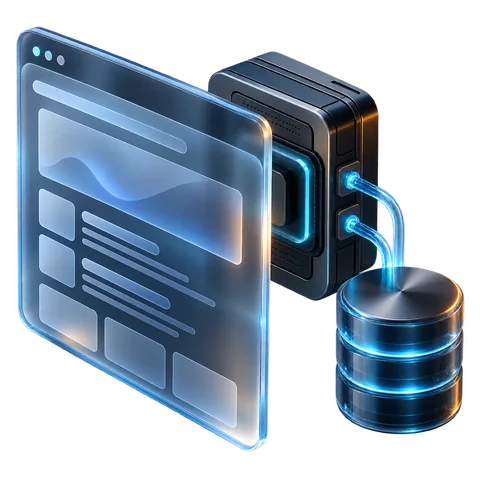
The frontend is where customers and staff interact. The backend connects their actions with application logic, permissions and information. Design the relationship around what the system needs to do.

  • An interface built around user actions
  • Logic, permissions and integrations as needed
  • Information reaching the right place
Discuss your website or app
  1. Input
  2. Organise
  3. Review

ARCLUNE / 02

Information moves. You decide.

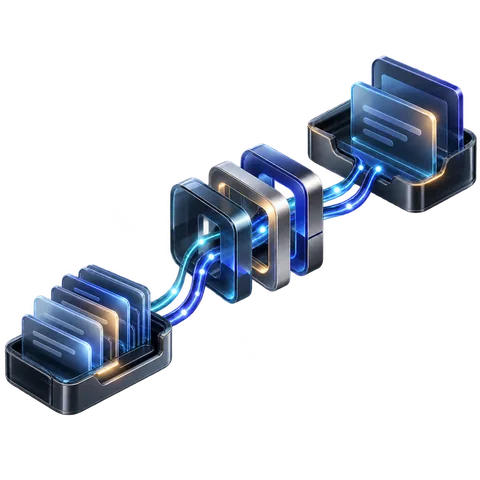
An enquiry can become an organised record instead of being copied between tools. Classification or drafting can support the workflow, with a person retaining approval where needed.

  • Connect the stages of work
  • Validate data and handle failures
  • Keep human approval where needed
Explore your workflow
  1. Prepare
  2. Check
  3. Deploy

ARCLUNE / 03

From code to the next release.

A defined workflow connects build preparation, checks and deployment to the right environment. Plan how issues are investigated and how a previous version can be restored when needed.

  • Repeatable setup and deployment
  • Checks before a release
  • Operating notes and known limits
Discuss your infrastructure

Capability illustrations · not client projects

02 / Why Arclune

Build what you need.
Keep what works.

New software is not always the answer. First, look at what can be improved, connected or simplified — and where a new solution will help.

01

Less repetitive work

Connecting systems can reduce manual copying, data gathering and checking across tools. That leaves more time for work that needs your judgement.

02

Development with priorities

Separate what matters now from what can wait. When an existing tool fits the need, there is no reason to build a replacement just to start from scratch.

03

A useful handover

Agree what will be delivered and how it will be checked. Source files, operating notes and documentation help you understand the solution and keep working with it.

Illustrative example · not a client project

The same task. Fewer handoffs.

For example, linking an enquiry source to your business system can remove duplicate entry. First, check what the tools support, how failures will be handled and which actions need approval.

Have a workflow like this?

Manual workflow

  1. An enquiry arrives by email
  2. Copy into a spreadsheet
  3. Update another system

Connected workflow

  1. An enquiry arrives
  2. Information enters the system
  3. A person reviews and acts

03 / How we work

Know what is being built.
See it take shape.

Clear decisions at the start, opportunities to review progress and a practical handover at the end.

  1. 01

    Clarify the direction

    Understand the goal, who will use the solution and what already exists. Explore the options before choosing what to build.

  2. 02

    Agree before building

    Define the scope, deliverables, checks and terms so the work has a shared starting point.

  3. 03

    Build, review and refine

    Review usable parts along the way. Agree changes to the scope together before implementing them.

  4. 04

    Check and hand over

    Check against the agreed requirements and provide the files, operating notes and documentation included in the scope.

Find the right starting point

04 / About

From the business need
to the technical details.

Arclune is a software development business founded by Eynav Lenchner. Its work brings together web development, business applications, automation and infrastructure.

That combination makes it possible to consider the whole workflow: what people see, how information moves and what the software needs to run. Each project is shaped around the need and the agreed scope.

ARCLUNE

05 / Before we start

A few useful answers

Do I need to know exactly what to build?

No. Bring an early idea, a business goal or a problem you want to solve. From there, we can explore the options and shape what makes sense to design and build.

Can you improve an existing system?

That is worth exploring first. Reviewing the system, code and integrations helps establish whether a focused fix, an addition or a new build makes sense.

How is the cost determined?

Cost depends on scope, complexity and the condition of any existing system. The work and terms are defined after an initial discussion and before development starts. You do not need a complete specification to get in touch.

When does AI make sense?

For a defined task whose output can be checked, such as classification or drafting. A simpler alternative should be considered too, with human review and approval where needed.

Can I start with a small task?

Yes. A targeted fix, an added feature or a temporary test environment can be a useful place to start. We agree the scope and any access needed before work begins. For a temporary environment, we also agree provider costs and responsibility for its maintenance and removal.

06 / Start here

What do you have in mind?

A new product idea, an improvement to an existing system or a focused task — a few lines are enough to start.

  • What would you like to create, enable or improve?
  • Who will use the solution, and what matters to them?
  • If a system already exists, what do you use today?

Together, we can clarify the goal, explore the options and define the next step.

This opens your email app. Send your message from there.

Email us about your project

info@arclune.dev

You can also copy the address and write from whichever email service you prefer.

Please leave passwords, access keys and confidential information out of your first enquiry.

Privacy